


A call to action is actively used in marketing and is a vital tool for increasing the profitability of standalone advertising campaigns and enhancing business activities in general.
CTA (call to action) is a marketing tool that encourages customers to make a specific effort: subscribe to a newsletter, watch a video, or pay for an order.
CTA can be a text call, button, icon, pop-up window, or banner. These elements are present on websites, mobile apps, banners, marketing campaigns on social media, etc.
Here are some examples of call-to-actions:
How CTA Works in Practice
A call to action in sales includes direct instructions to users on what they should do after seeing your advert or content.
- Soft CTAs do not offer customers to buy products but let them acquaint themselves with them or the company. Soft CTA examples include calls to get demo access to the service, subscribe to a newsletter, or download a presentation.
- Hard CTAs are calls to buy a product. To increase conversion, they often make a profitable offer with some limitations. They may give a discount available for a short period.
The best-performing CTAs use action verbs that tell users exactly what happens next: Start your free trial, Download the guide, Watch the demo. Vague phrases like Click here or Learn more underperform because they give no reason to act. The copy should reflect the value the user receives, not just the action you want them to take.
CTAs in Video Marketing
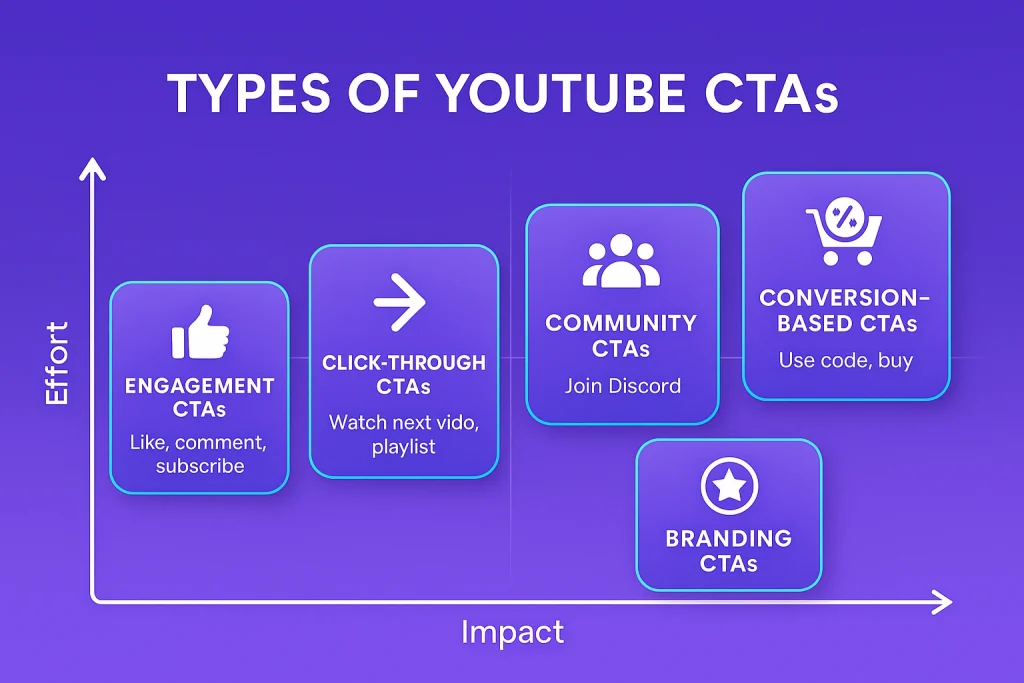
Video is one of the highest-converting formats for CTAs, because it builds trust and emotional engagement before the ask. In a video context, a call to action can appear in several forms:
- Verbal CTA — the presenter or voiceover explicitly tells viewers what to do next (“Visit the link below to get started”). Spoken CTAs feel direct and personal.
- On-screen overlay or lower-third — a text or button element that appears during the video, often at the moment a key benefit is described. These work well for mid-video CTAs without interrupting the narrative.
- End card or end screen — a dedicated final frame that presents the next step. End cards are standard on YouTube and in standalone product videos. They give viewers a clear moment to act once the value proposition has been delivered.
- Interactive button — embedded directly in the video player, clickable without leaving the player. Common in product demos and onboarding videos.
For explainer videos and product demos, the CTA is most effective when it mirrors the specific problem the video just solved. If a video explains how your software saves time on reporting, the CTA “Start saving time — book a demo” is more compelling than a generic “Get in touch.”
Common CTA Mistakes to Avoid
Even well-designed pages lose conversions due to predictable CTA errors:
- Too many competing CTAs. When every section has a different CTA with equal visual weight, users experience decision paralysis and often take no action at all. Establish a clear hierarchy.
- Mismatched copy and destination. If the CTA says “Download the guide” but clicking it opens a contact form, users feel misled. The destination should fulfill exactly what the CTA promised.
- Generic button text. “Submit” is the weakest possible CTA label. It describes the user’s action, not their outcome. Replace it with something that communicates value.
- Ignoring mobile behavior. A button that looks appropriately sized on desktop may be too small to tap confidently on a phone. CTAs should meet minimum touch target sizes and have enough spacing from adjacent elements.
- No CTA at all. Some pages — especially glossary and educational content pages — leave users with no next step. Even informational pages benefit from a soft CTA pointing to a related resource or service.
Never Overload Users
Calls to action are not about imposing products and services on users. They are, rather, about user care, which positively affects business profits. You provide the shortest, easiest, and most convenient journey for potential customers and save their time.
You can place a CTA almost anywhere on your website. It would be better to use several distinct calls to action located on different pages and in various page sections.
Select the video type that aligns with your marketing objectives, and receive an immediate high-level estimate of the production cost.
