


A video email incorporates video content to better communicate, increase engagement, deliver messages, and personalize outreach.
Instead of relying solely on text, which becomes a chore when someone has to read it, a video email uses an embedded or linked video to present information in a clearer way. A video in an email is often hosted on a service.
Email video messages can be used for a variety of use cases, including marketing, onboarding, customer support, outreach, and more.
Benefits of Using Video Email Messages
An email video message offers a variety of benefits, including:
- Improved engagement – 54% of email subscribers want emails that contain video content. This shows us that video in emails can drastically improve engagement.
- Effective storytelling – With videos, you can improve your storytelling since visuals are involved. With text, you might not convey your message properly.
- Time-Saving: Using a video for email can save both the sender and receiver time. Instead of crafting long paragraphs, you are making one video that covers all.
Tips for Writing Business Emails with Videos
Writing business emails with videos isn’t something that needs to be complex. Here are some tips for crafting the best writing business emails with videos.
Step 1: Start with a strong subject line:
Here, you can also mention the word “video” for better engagement.
Step 2: Keep your videos short:
Your video should be short-form instead of long-form. Aim for 2-3 minutes for the best viewer retention.
Step 3: Use a clear CTA:
Aim to tell the viewers exactly what you want to do after they watch your video. This could be a further action like filling out a form, giving you their email, and more.
Step 4: Personalization matters the most:
Making the message more personalized improves your chances of converting. You can mention the name of a recipient or give them something that adds a personal touch to.
How to Add Video to Email
Not all email clients will let the recipient play the video directly. However, you can try:
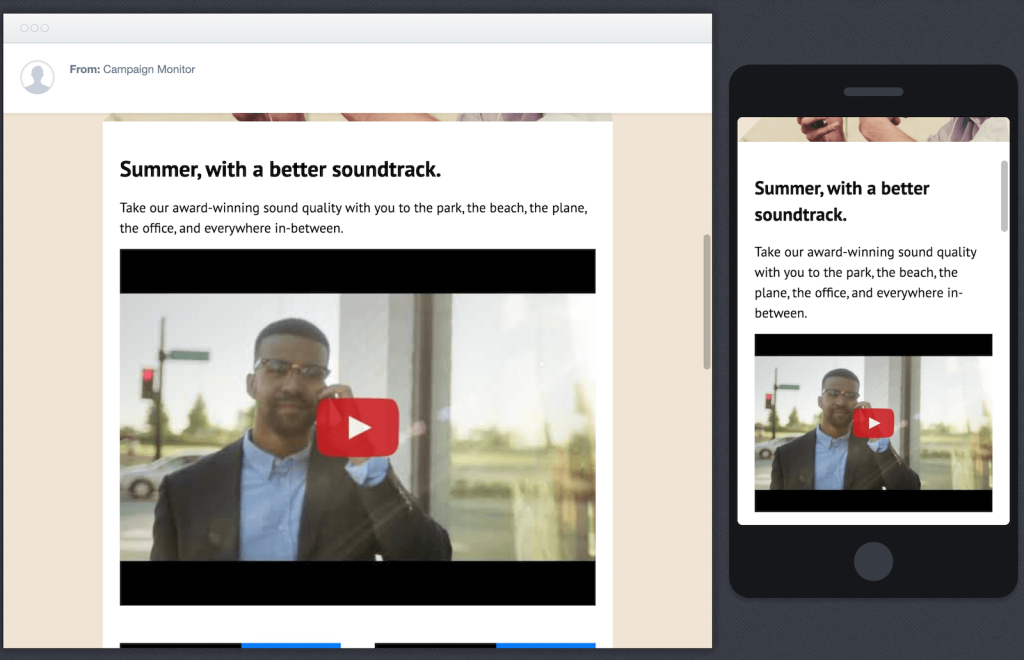
- Embedding a thumbnail image with a play button.
- On that image, you can then link your video to a landing page or a video hosting site like YouTube.
- Using GIFs can also improve the click-through rate.
- Lastly, you can use a video compressor for emails to ensure faster loading speeds.
Video Email Examples
There are many ways you can use a video email. Some of the most common examples include sales outreach with personalized intros to sell a prospect something.
Then, you can even create onboarding videos for new and old customers. Some businesses like to make company announcements from the company.
Lastly, you can also create tutorials to make your current customers understand a new feature or demo.
