From creating product demos for your SaaS product launch, building a library of training videos or kickstarting your ads with punchy 1 minute commercial script – video script writing is your starting point for building strategic video content.
You are competing with millions of other pieces of content, for the attention spans of audiences – and those audiences have attention spans on par with goldfish’s memory – extremely short.
So if you are looking to figure out how to write a video script that actually forces those audiences to pay attention, convert better – and sounds natural – this article might be the recipe you were looking for.
1. Start with the end goal
If you’ve ever worked in Sales – you will know that they teach you to sell from bottom to top. Why? Because it doesn’t matter if you do great discovery at the beginning, if you can’t handle the most common objections and wrap up the deal.
It’s similar with scripting: you should be very clear on what’s your target action – or CTA. Your whole script should be a build up for them to take the action.
Pro Tip: Make sure to start your writing from the bottom – have a strong closing, which will allow you to build your script with the final destination in mind.
Example:
In our most popular video for Supahub – the whole journey is built to end with a strong call to try out the solution for yourself.
2. Know your audience like a friend
Creating generic scripts just doesn’t work – neither from a storytelling standpoint, nor from an actual messaging one. So before you start creating a script for a video – you need to do a thorough research, about who you are actually talking to.
Messages that might land well with SaaS startups – will not resonate as much with decision makers within large enterprises – same with targeting B2B or B2B segments.
Pro Tip: The better you crystalize the messaging, and make it hyper relevant – the faster the buying journey will be for your prospects – as it will feel like your product is tailored just for them.
Example:
In our video for Univer – we don’t try to cater to everybody, although the solution can be universal for anyone dealing with documents. Instead, we are focusing on one, hyper specific use case.
3. More is less
From our experience – clients usually err on the side of bringing a really long script – like 4-5x longer than what’s needed. And long videos don’t perform that well either.
As we talk a lot about strategy – if you are looking to do a long video that doesn’t perform, you might as well create a series of smaller videos, either tailored to different pain points, or used with different video formats to have a solid video funnel, from short ad to tutorial videos.
So, how do you land on an optimal duration? There are many script timers available online for your use.
Wondering how many words in a 30 second video? Around 75 words total.
How many words in a 1 minute video – you should be aiming for 140-160 words.
 Tip:
Tip: Example:
Originally, this 12 second video was meant to be a 5 second short ad. Of course, the scope creep hit it hard – in part because of how the script was written without any extra wiggle room for pauses.
4. Nail your hook in the first 5 seconds
Building up on the importance of the CTA – your Hook is also the most important thing you have in the video. Your video introduction script arguably matters more than anything else within the video.
If you have 60 minutes to write a script – 59 minutes should go towards writing a great Hook and CTA.
Pro Tip: Example:
If you have slow buildup – you are most likely losing attention early on. With this example for Doks.ai – we are starting with the money shot – which even without the narration, grabs the attention from the first seconds.
5. Show, don’t tell
In video scripting – you should have a 3-4 : 1 ratio of visuals to the voice over section. Why? Because that’s exactly how you get a more dynamic flow, as for every 1 sentence of voice over, you have 3-4 different animations happening – which build a more in-depth look and feel.
Video Script Format Tip: Example:
Having a good visual narration allows you to build videos with smooth transitions. Our example for Tome.ai – is a great example of how important visuals are.

6. Write for how people speak — not read
Remember – you are not writing an essay – and if you are doing a 30-60 second video piece, you should make sure you are catching attention properly. For this – you should use bold, fragments and punchy rhythm and contractions. This approach provides the conversational clarity that works so well in marketing.
Tip for writing a script: Listen to your script – and also try a voice over run. This will allow you to flesh out the missing pieces and rough edges.
Here’s a chunk of a video script example from our video from StoreTrack:
“Say hello to StoreTrack – the simplest way to create a beautiful store locator for your website ”
7. Keep scenes tight and transitions clear
Each idea should be clearly distinguishable – and even better, if you don’t’ pile on a ton of messaging within your video. If you are trying to pile on a lot of ideas in one video – it will not work, and you might as well split it into multiple, shorter videos.
This will allow you to do better transitions and create an engaging flow for your ideas.
Tip: Example:
A great example of this is our video for LangEase – with a smooth transition from the problem overview, to how the solution actually works.
8. Avoid jargon unless your audience lives in it
Keep your script at a max 6th grade ease – as especially in marketing, where people need to be pulled in your direction, and might not have time to engage and think about your elaborate eloquence – being as clear and catchy promotes clarity.
Tip: Example:
A good example of this is our video for WriteSonic – that hooks you from the jump by calling out what the solution is, in simple terms.
9. Include specific sections and outline them
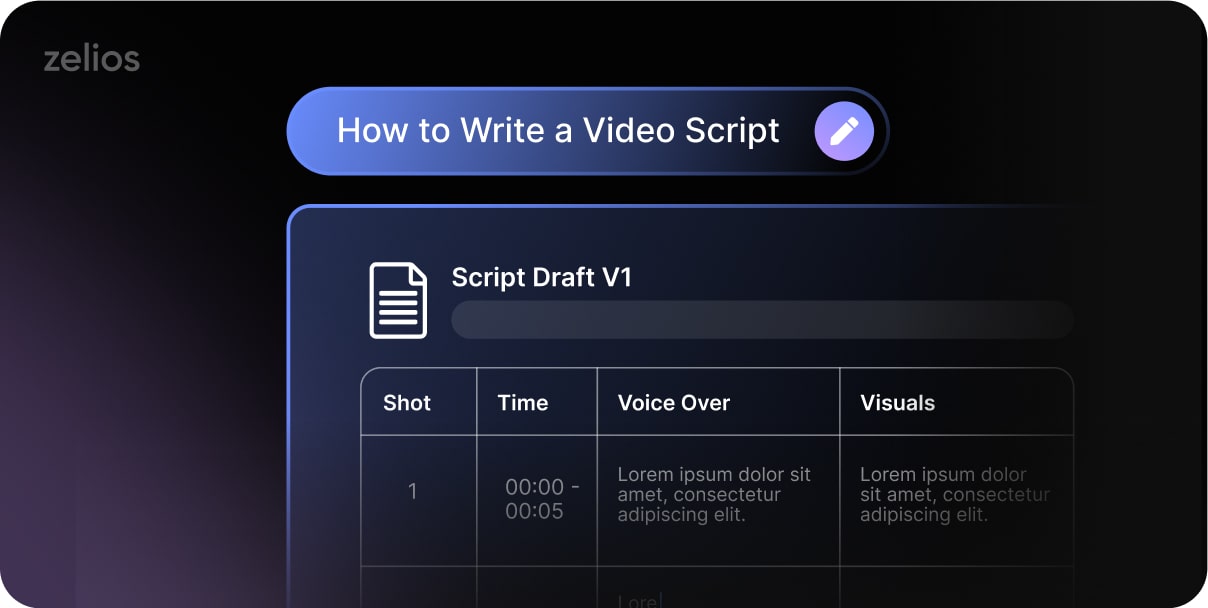
If you are making a 1-minute commercial script – don’t just create one big blob of text in one paragraph. Make sure to separate the scenes, add visual directions – and preferably make the scenes distinguishable from one another.
Tip: Example:
A much better way for video, is when you do way more explanation for each individual sentence. Like, a lot more – at least 3 sentences for explanation, for every text part.
VISUAL
- Close-up of a messy computer desktop. Tabs open: Excel, Slack, Email, Calendar.
- Transition: Tabs overlap and glitch out → alarm sounds → screen dims.
- A stressed team lead looks overwhelmed. She sighs. Cursor freezes.
TEXT / VO
“Before [ProductName], managing projects felt like this.”
That’s how we can make projects like NeuraFlow so visually appealing – instead of saying “dashboard appears” or “elements fly out” – you have a lot more direction for the visual elements, which makes it more palatable for design and animation teams – resulting in better outcomes.
10. It’s a Map
Remember: your script should be a strong foundation for the team to build strong visuals and animation. If you are DIYing the script – make sure to share with the video team for audit around messaging, timing and overall approach.
Otherwise, going at it without proper expertise – might doom the video to be a failure at its inception.
Tip: Example:
Initially, the script for Teamble was a 10 minute voice over, while the client wanted to create a video without any voice over. This is what came as a final result of our audit and re-adjustment.
Final Thought
So, what is a video script? A great video script is like a great foundation of the house – will allow you to build an amazing video on top of it, and avoid doing unnecessary reworks across the full video production pipeline.
Now that you know how to write a script for a video – you still shouldn’t go at it alone. Tap into 1000+ video assets delivered – and hundreds of SaaS products working with us at Zelios.
Reach out now – and we will help you with a video script example that will contribute to building your video system.
Select the video type that aligns with your marketing objectives, and receive an immediate high-level estimate of the production cost.